This tutorial covers how to make table column references absolute. It will cover both table column and cell references.
Download the Excel workbook to follow along.
This tutorial covers how to make table column references absolute. It will cover both table column and cell references.
Download the Excel workbook to follow along.
Many Excel users are familiar with lookup functions such as VLOOKUP, INDEX and MATCH to look up information in a list. But how about performing a picture lookup in Excel to return a picture dependent upon the contents of a cell.
This requires a little extra thought as a standard VLOOKUP is not capable of returning a picture from a list.
In this blog post, we will explore how to create a picture lookup. We will look at how to return the picture of a flag dependent upon the country name that is selected from a list.
Working recently at a large Internet company they needed to find how many words were in a cell. This was because they had imported hundreds of thousands of keywords that customers had used to find their site through search engines.
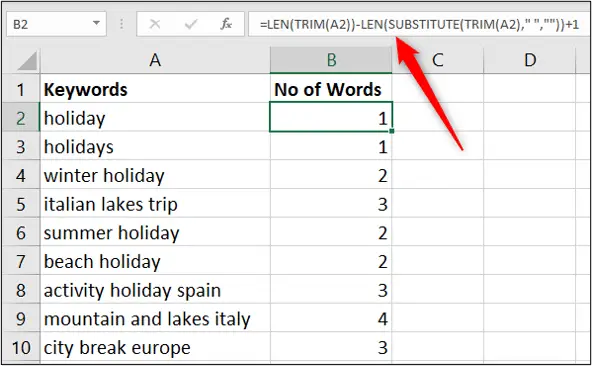
To analyse this data they wanted to count how many words were in each cell containing keyword searches. Excel provides many text functions for managing and manipulating the text in the cells of your spreadsheet. The following formula did the job.
=LEN(TRIM(A2))-LEN(SUBSTITUTE(TRIM(A2),” “,””))+1
This formula subtracts a version of the cell without spaces between each word from a version still with spaces. This finds out how many spaces there are. There will be one less space than there are words so the resulting answer has a 1 added to it to find how many words there are.
The LEN function is used to find how many text characters are in the cell.
The SUBSTITUTE function is used to replace the spaces between each word with nothing making one long word.
The TRIM function is used to remove any spaces at the beginning or end of the cell content. This cleanses the cell of any erroneous spaces put in by user error, or error on import.
In this post, we look at a neat Excel VLOOKUP trick to select a column for the data to return instead of specifying a column index number.
This is one of the biggest frustrations for beginners to VLOOKUP and for users who work with wide data sets. Counting the columns to enter the correct index number is not ideal.
Well, this simple trick removes that hassle and will mean you only have to click the column now. Let’s see how to do this.
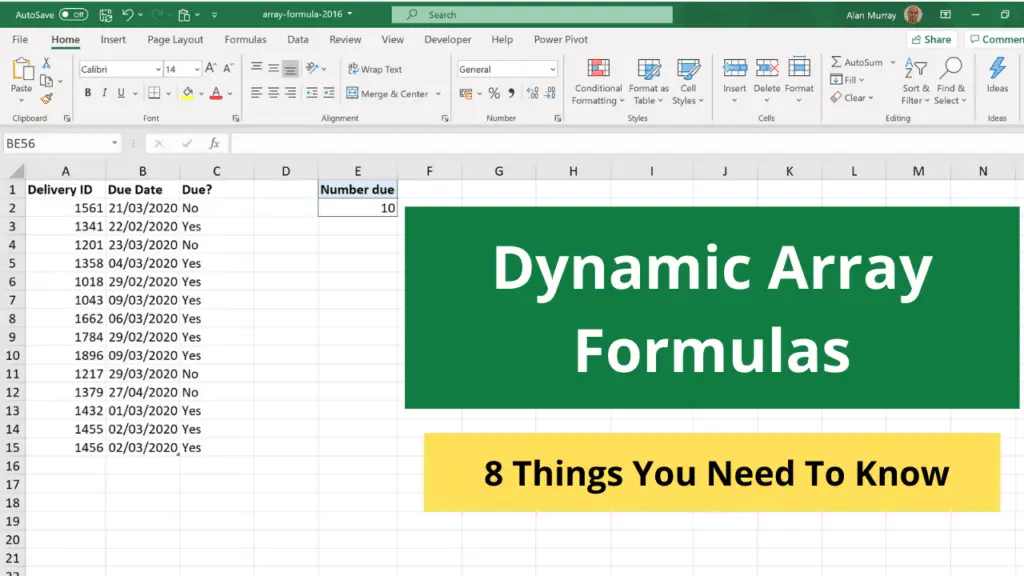
Dynamic array formulas were released in 2020 to Microsoft 365 users of Excel only. They are incredible and have changed the way that many formulas are written.
Using arrays in Excel formulas is not new. They have always been possible, but apart from a few exceptions, you would need to press Ctrl + Shift+ Enter to run them. This gave them the name CSE formulas. They could also be slow and awkward to use, and certainly not dynamic.
This article will explain what you need to know about these dynamic array formulas and how to use them effectively.