In this blog post, we look at how to highlight the cells that contain a specific word. We will also ensure that the word in the cell matches the case of the word being looked for.
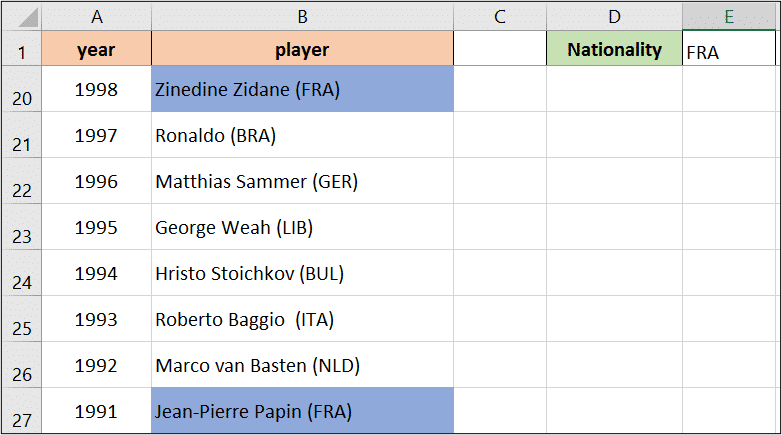
For this example, we have a list of the Ballon d’or winners of all time. Column B contains 3 letters in uppercase (after the name) which identify the country that the player represented at the time of winning the award.
In cell E1 I have entered the 3 digits for a country. I would like to automatically change the colour of all the cells that contain the country written in E1.
There is a good chance that the 3 digits identifying a country could also occur in a players name. For example, the letters for France – FRA do occur in the name Franz Beckenbauer.
To prevent this happening, we will match the case of the word we are searching for, as it is always written in upper case.
[Read more…] about Highlight the Cells that Contain a Specific Word (and it Matches Case)